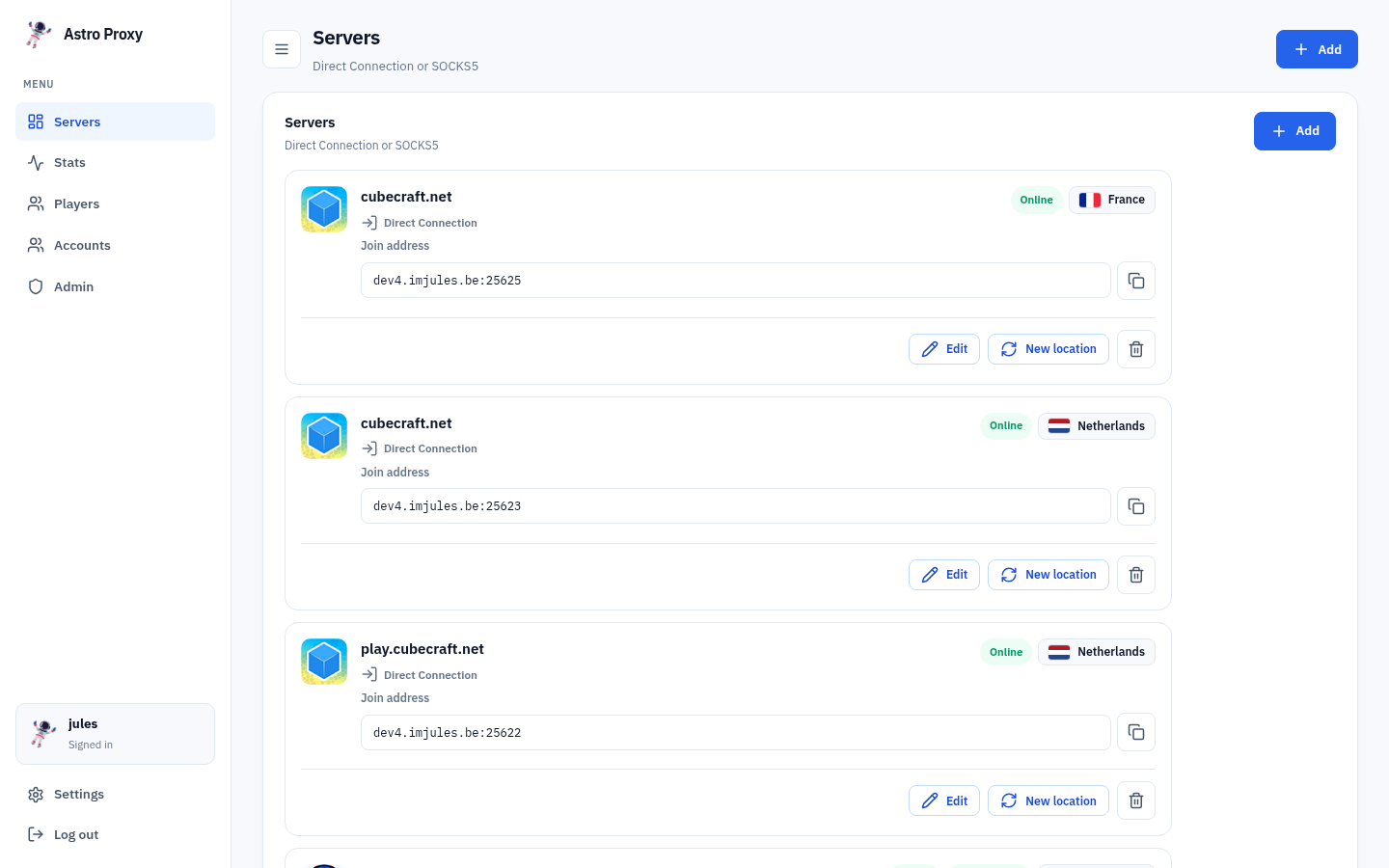
Ready in seconds
Create a join and hop into Minecraft right away. No long setup.
Tired of getting IP banned on servers like DonutSMP? Turtle Proxy is the solution. Route your Minecraft traffic through fast, dedicated exits and hop back into the servers you love in seconds.
Everything you need for smooth Minecraft joins.
Create a join and hop into Minecraft right away. No long setup.
Exits in the Netherlands, France, UK and more so you stay close to big servers.
Built for real joins and real players. Your game comes first.
See which country feels best before you join.
Simple monthly plans. Stay as long as you like.
Your browser and apps stay on your normal connection.
Simple monthly plans. Add a plan to your cart and pay how you like.

Perfect to get started.
€3.99 / month

For serious players & alt accounts.
€7.99 / month
Works with the clients you already use.
 Krypton Client
Easily add the SOCKS5 credentials in the proxy module and hop straight in.
Krypton Client
Easily add the SOCKS5 credentials in the proxy module and hop straight in.
 Meteor Client
Easily add the SOCKS5 credentials in the proxy module and hop straight in.
Meteor Client
Easily add the SOCKS5 credentials in the proxy module and hop straight in.
 Standalone
Easily get a direct IP. Join it and it tunnels your connection through Turtle Proxy straight to the server.
Standalone
Easily get a direct IP. Join it and it tunnels your connection through Turtle Proxy straight to the server.
And much more! Any launcher or client that supports SOCKS5 or a plain server address will work.
Proxy exits with live ping.
Live ping, …
Live ping, …
Live ping, …
More locations as we grow the network.
Most VPNs tunnel your whole PC. That is slow, messy, and overkill when you only care about Minecraft.
Turtle Proxy is built as a join panel. You pick a location, get a Minecraft address, and only that game traffic goes through our tunnels. Your browser, Discord and downloads stay on your normal connection.
You get a clear dashboard for Direct Connection and SOCKS5, live ping per country, load balance on Pro, and tunnels that are meant for Minecraft servers, not generic browsing.

Our friendly control panel is packed with features that make managing your Minecraft joins effortless.
From per-region routing and live ping to SOCKS5, Direct Connection and load balancing, everything is one click away in a clean interface built for players.
Paste any Minecraft address. We ping it, read its MOTD, and tell you how confident we are you can join through a Turtle Proxy exit.
Everything you need to know before you join.
Turtle Proxy is a Minecraft-only join service. You create a personal join address in the dashboard, pick a country exit, and connect through our tunnels instead of your home IP. Your browser, Discord and other apps stay on your normal connection.
No. A VPN wraps your whole device. Turtle Proxy only touches Minecraft traffic you send to your Turtle join address. That keeps setup simple and latency low for gaming.
1) Create an account and confirm your email.
2) Pick Turtle (€3.99) or Turtle Pro (€7.99) on Subscriptions.
3) Open the dashboard, add a Direct Connection, choose a region, and copy your join address into Minecraft.
Turtle (€3.99/mo) is for getting started: clean joins, one region at a time, up to 3 bound IPs.
Turtle Pro (€7.99/mo) unlocks all regions, load balance, and up to 6 bound IPs — better if you run several accounts or hop servers often.
Each join address you create in the dashboard counts as one bound IP. Turtle allows 3, Turtle Pro allows 6. Rerolling a location on an existing join does not use an extra slot — only creating a new join does.
Pay by card through Stripe, or with Litecoin (LTC). Checkout happens on the subscriptions page after you pick a plan.
No. Vanilla Minecraft works: add your Turtle join address to the server list and connect. It also works great with clients like Krypton and Meteor, or any launcher that supports a normal server address or SOCKS5.
Direct Connection is the simple path: one join address in your server list. Most players should start here.
SOCKS5 is for clients or setups that speak SOCKS5. Same exits, different way to wire the connection.
On Turtle Pro, load balance can pick a random exit inside the country you chose on each join. Useful when many accounts join the same server and you want them spread across exits.
We run Minecraft exits in the Netherlands, France, the UK and more. Use the live ping list on this page to see what feels snappy before you create a join. Turtle uses one region at a time; Pro can use all of them.
If a server blocked your home IP, joining through a Turtle exit gives you a different outbound IP. We cannot promise every server will accept every exit, and we do not bypass account bans — only the network path changes. Use the compatibility checker above to see if a server is online first.
Yes. Plans are monthly. Cancel when you want; you keep access until the end of the period you already paid for. No long contracts.
Email support@turtleproxy.com or open your dashboard after logging in. For account mail, check the address you registered with — confirmations come from no-reply@turtleproxy.com.
Pick a plan, join from a clean exit, and hop into Minecraft in seconds.